


By Akanksha Surana, CEO and Owner at Perfonec Computers | Updated November 2026
Quick Answer
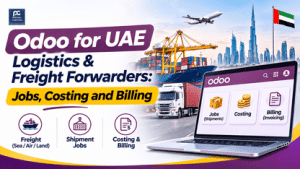
Odoo can run each shipment as a job file, post carrier, port and trucking costs against it, show profit per job and invoice the customer from the same record. Standard Odoo is not a ready-made freight forwarding product, so bills of lading, container tracking and customs filing usually need customisation or other tools.
Disclosure: Perfonec Computers is an Odoo Ready Partner with Odoo Middle East and develops the OESync add-on for Odoo, so we have a stake in this topic. We will tell you if a specialist freight system suits you better.
A freight forwarder does not sell a product. It sells a shipment, and every shipment has its own costs, documents and customer charges. Therefore, the questions that matter are simple. What did this job cost? What did we charge? Who still owes us? This guide shows how a UAE logistics business can answer all three in Odoo, and where Odoo needs help.
OESync: UAE E-Invoicing Add-On for Odoo →
Odoo ERP in Dubai by Perfonec →
Book a free Odoo assessment →
📄 Free Guide PDF: Odoo for UAE Logistics and Freight Forwarders
Download the 3-page guide with setup areas, VAT table, profit-per-job example and 7-step plan.
Why Logistics Businesses Need Job Thinking
One shipment, many moving parts
A single shipment can involve an ocean or air carrier, a port operator, a trucking company and a customs agent. Each sends its own bill, often in a different currency. As a result, spreadsheets and email threads quickly lose track of which cost belongs to which customer.
What a good system answers
A good system tells you the cost, the charge and the balance for every job. In addition, it stops a job from closing while carrier bills are still arriving. Odoo can do this when you decide, early, what a job means in your business.
Job Files in Odoo
Choosing the job record
Many forwarders use one sales order or one project per shipment. The customer, route, cargo type and dates sit on that record, and your team and customer both quote the same job number. Extra shipment fields may need Studio or a small customisation, and your edition decides what is available, so confirm this with Perfonec.
Stages, tasks and documents
Stages such as booking, in transit, customs, delivery and closed show where each job stands. Likewise, tasks and attached documents keep the packing list and delivery proof in one place, so nobody searches email.
Job Costing in Odoo
Posting costs to the right job
Vendor bills from carriers, shipping lines, port operators, trucking companies and customs agents are entered in purchasing and accounting. Analytic distribution then assigns each cost line to a job. Consequently, the cost side of every job is complete and traceable.
Currencies and profit per job
Many bills arrive in USD or EUR, so multi-currency support keeps AED reporting accurate. The profit view then compares the revenue on a job with the costs posted to it. For example, a made-up job charged at AED 6,200 with AED 4,700 of costs shows a profit of AED 1,500, about 24 percent.
Billing and Collections
Invoicing and re-invoicing charges
Invoice the customer from the job, with freight, port, handling, trucking and your service fee on separate lines. Odoo documents re-invoicing of expenses at cost or at a sales price. However, how your version treats vendor bills can differ, so confirm it before you plan around it.
Credit notes and collections
Credit notes for corrections stay linked to the original job. Meanwhile, receivables ageing and follow-up show who is paying late, and payment terms with credit limits can be set for each customer.
Which Type of Logistics Business Are You?
Forwarders and customs agents
Forwarders need job files, multi-currency costs, profit per job and re-invoicing of charges. Customs clearance agents run many small jobs with reimbursable charges, so fast invoicing and clean records matter most.
Transport, warehousing and courier
Trucking companies need fleet, trip and driver cost tracking with profit per trip. Small 3PL operators need stock by customer and storage billing. Courier businesses handle high volumes with per-delivery rates and collections.
UAE VAT Points to Check
Transport and related charges
International transport of goods is often zero-rated, but conditions and evidence apply. Local transport inside the UAE is generally taxed at 5 percent, and local legs linked to an international move need careful treatment.
Port charges and reimbursements
Some port, handling and agent charges may stay taxable even when the freight itself is zero-rated. Likewise, reimbursable expenses can be treated differently from your own services, so agree the method with your adviser first. Keep customs documents that match your records.
A Seven-Step Setup Plan
Steps 1 to 4: define and structure
First, decide what a job is: one shipment, one booking or one customer order. Second, set a numbering rule and the fields your team must record. Third, create the charge list covering freight, port, handling, trucking, customs and your own fees. Fourth, set up analytic accounts so every cost line carries a job number.
Steps 5 to 7: tax, data and testing
Fifth, decide how charges are re-invoiced and agree the VAT treatment with your adviser. Sixth, import customers, suppliers and open balances, then verify the totals. Finally, run five real jobs end to end and train your staff before going live.
Common Mistakes and When Odoo Is Not Enough
Mistakes to avoid
Do not start without a clear definition of a job. Do not post costs without a job number, or profit per job will be wrong. Also avoid closing jobs while carrier bills are still arriving, and avoid guessing VAT on port and agent charges.
When you need more than Odoo
If you need house and master bills of lading, container and vessel tracking, carrier rate management or customs declaration filing, look at a dedicated freight forwarding system or a customisation project alongside Odoo. Perfonec can scope this honestly and tell you what is best handled in Odoo and what is not.
Plan Odoo for Your Logistics Business With Perfonec
We review how you run jobs today, show what Odoo handles well and tell you honestly what needs customisation or another tool. Free assessment, no commitment.
Perfonec is an Odoo Ready Partner with Odoo Middle East, an Authorised QuickBooks Dealer and Pro Advisor, a TallyPrime Authorised Silver Partner and a Zoho Partner.
📞 +971 4 386 6199 | 📧 sales@perfonec.com | 💬 WhatsApp Us
About the author
Akanksha Surana
Akanksha Surana is the CEO and Owner of Perfonec Computers, Dubai, an Odoo Ready Partner with Odoo Middle East and an Authorised QuickBooks Dealer and Certified Pro Advisor. She writes about UAE accounting software, ERP and VAT for trading and service businesses. Read her full profile →
Frequently Asked Questions
Does Odoo have a freight forwarding app?
Standard Odoo is not a ready-made freight forwarding product. Most forwarders run each shipment as a job using sales orders or projects, with purchasing and accounting around it. House and master bills of lading, container tracking and customs filing usually need customisation or other tools.
Can Odoo show profit for each shipment?
Yes, when costs are posted against the job. Analytic distribution lets each vendor bill line carry a job number, so you can compare the revenue on a job with the costs posted to it.
Can Odoo re-invoice carrier and port charges to customers?
Odoo documents re-invoicing of expenses at cost or at a sales price. Whether the same works for vendor bills depends on your version and setup, so confirm it with Perfonec before you plan around it.
Is international freight zero-rated for UAE VAT?
International transport of goods is often zero-rated, but conditions and evidence apply. Local legs, port and handling charges and reimbursable expenses can be treated differently, so confirm each charge type with your tax adviser.
Does Odoo Online work for a logistics business?
Odoo Online does not accept custom modules, while Odoo.sh and on-premise do. If your job files need extra fields or custom reports, check this before choosing a hosting option, and confirm which apps your edition includes.
Published by Perfonec Computers, Odoo Ready Partner with Odoo Middle East, developer of OESync, Authorised QuickBooks Dealer and Pro Advisor, TallyPrime Authorised Silver Partner and Zoho Partner. Manama Street, Dubai, UAE. Odoo features vary by version and edition, so confirm them before you plan. The profit example uses made-up numbers. For general guidance only, not legal, tax or financial advice. Confirm VAT treatment with your tax adviser.