


Published by: Perfonec Computers | Category: UAE E-Invoicing | Updated: October 2026
Quick Answer
UAE e-invoicing is based on a structured electronic invoicing system that uses the Peppol network and the PINT-AE standard for exchanging invoices between businesses.
Zoho Books supports UAE e-invoicing and provides functionality for businesses to prepare and exchange electronic invoices through the Peppol network. Zoho has also announced its role as an accredited E-Invoicing Service Provider (ASP) in the UAE. Businesses can learn more through the official Zoho Books UAE e-invoicing guide.
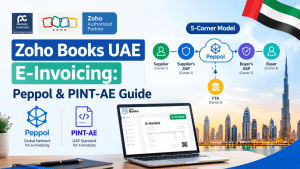
The UAE uses a 5-corner e-invoicing model, consisting of the supplier, supplier’s ASP, buyer’s ASP, buyer and the Federal Tax Authority (FTA).
This guide explains how Peppol, PINT-AE, ASPs and the UAE 5-corner model work together with Zoho Books, along with the implementation steps UAE businesses should consider.
What Is UAE E-Invoicing?
UAE e-invoicing is the electronic exchange of structured invoice data between businesses through the approved e-invoicing network.
An e-invoice is not simply a PDF invoice sent by email. A compliant e-invoice contains structured, machine-readable data that can be automatically processed by accounting and business systems.
Under the UAE e-invoicing framework, invoices are exchanged through the Peppol network using the required technical standards, including the UAE-specific PINT-AE specification.
This allows businesses to send and receive invoice information electronically while reducing manual data entry and improving the accuracy of transaction reporting.
Zoho Books supports this process by connecting accounting workflows with UAE e-invoicing functionality. Businesses can review the official Zoho Books e-invoicing documentation for details on configuration and supported workflows.
What Are Peppol and PINT-AE?
Two terms that UAE businesses will hear frequently when preparing for e-invoicing are Peppol and PINT-AE.
Although they are related, they are not the same thing.
What Is Peppol?
Peppol is a network and framework that allows businesses using different accounting or ERP systems to exchange structured electronic documents.
Instead of requiring the supplier and buyer to use the same accounting software, Peppol allows their systems to communicate through participating service providers.
For UAE e-invoicing, Peppol provides the network infrastructure through which electronic invoices can be exchanged.
What Is PINT-AE?
PINT-AE is the UAE-specific implementation of the Peppol International Invoice (PINT) specification. It defines the structured format and required information used for UAE e-invoices.
In simple terms:
Peppol = the network and framework.
PINT-AE = the UAE-specific invoice standard.
ASP = the Accredited Service Provider that connects businesses to the e-invoicing system.
Zoho Books = the accounting and e-invoicing platform.
This combination allows businesses to create and exchange structured e-invoices while keeping their accounting workflow within Zoho Books.
For implementation details, refer to the Zoho Books UAE e-invoicing guide.
What Is the UAE 5-Corner E-Invoicing Model?
The UAE e-invoicing framework uses a 5-corner model.
The traditional Peppol model has four main participants: the supplier, supplier’s access point, buyer’s access point and buyer. The UAE adds a fifth corner for the tax authority reporting component.
The five corners are:
Corner | Participant | Role |
|---|---|---|
Corner 1 | Supplier | Creates and issues the invoice |
Corner 2 | Supplier’s ASP | Processes and transmits the e-invoice |
Corner 3 | Buyer’s ASP | Receives and processes the e-invoice |
Corner 4 | Buyer | Receives the invoice |
Corner 5 | FTA | Receives the required tax data |
The fifth corner is what distinguishes the UAE implementation from the standard four-corner Peppol exchange model.
For the latest regulatory information, consult the UAE Ministry of Finance.
How Does the 5-Corner Model Work with Zoho Books?
Let’s take a simple example.
Suppose a UAE company using Zoho Books sells goods or services to another UAE business.
Step 1: Create the Invoice in Zoho Books
The supplier creates the invoice in Zoho Books as part of its normal sales process.
The invoice should contain the required business, customer, tax and transaction information.
For UAE e-invoicing, accurate master data becomes especially important because missing or incorrect information can result in validation errors.
Step 2: Prepare the E-Invoice
Once the invoice is submitted for e-invoicing, the required structured information is prepared according to the applicable UAE e-invoicing requirements.
The invoice is represented in the required PINT-AE XML format, rather than simply being generated as a PDF.
Businesses can review the Zoho Books e-invoicing setup guide for details on the supported process and configuration.
Step 3: Send the Invoice Through Peppol
The structured e-invoice is transmitted through the Peppol network using the relevant service provider arrangements.
Zoho Books provides UAE e-invoicing functionality. Businesses should confirm the applicable ASP arrangement and setup requirements using the official Zoho Books UAE e-invoicing page.
Step 4: The Buyer’s ASP Receives the Invoice
The buyer’s Accredited Service Provider receives the structured invoice and performs the applicable validation before delivering it to the buyer.
The buyer does not necessarily need to use the same accounting software as the supplier.
This is one of the key advantages of the Peppol model: different systems can exchange structured documents through a common network.
Step 5: Tax Data Is Reported
The required tax data is reported to the FTA as part of the UAE’s e-invoicing framework.
The applicable reporting process operates alongside invoice exchange. It is not simply a traditional model in which every invoice must wait for government pre-clearance before being delivered to the customer.
Businesses should consult the UAE Ministry of Finance website for current regulatory requirements and technical guidance.
UAE 5-Corner Model: Simple Example
The complete flow can be simplified as follows:
Corner 1: Supplier
Creates the invoice in Zoho Books
Corner 2: Supplier’s ASP
Processes and transmits the invoice
Peppol Network
Structured electronic invoice exchange
Corner 3: Buyer’s ASP
Receives and processes the invoice
Corner 4: Buyer
Receives the electronic invoice
Corner 5: FTA
Receives the required tax data through the applicable reporting process.
This illustrates the main participants in the UAE 5-corner model. The exact technical routing and reporting process depend on the applicable implementation requirements.
Why Is PINT-AE Important for UAE Businesses?
One of the biggest changes introduced by e-invoicing is the move from document-based invoicing to structured data.
A PDF may be easy for a person to read, but it does not necessarily contain machine-readable data in the format required for UAE e-invoicing.
PINT-AE provides a standardised structure that allows different accounting systems and ERP platforms to interpret invoice information consistently.
For example, information such as the following can be exchanged in a structured format:
Supplier details
Buyer details
Tax Registration Number (TRN)
Invoice number
Invoice date
Tax information
Line items and quantities
Amounts and currency
VAT information
Credit note information
This reduces the need for businesses to manually enter invoice information into their accounting systems.
For further information on how Zoho Books supports UAE e-invoicing, visit the official Zoho Books UAE e-invoicing resource.
Is a PDF Invoice the Same as a UAE E-Invoice?
No. A PDF invoice and a structured e-invoice are not the same thing.
A PDF is primarily designed for human viewing. A UAE e-invoice is structured data designed to be exchanged and processed electronically between systems.
Simply emailing a PDF invoice to a customer does not, by itself, make that transaction compliant with the UAE’s structured e-invoicing requirements.
Businesses may still use PDF documents for viewing or other permitted purposes, but the applicable e-invoicing obligations must be fulfilled through the required structured electronic process.
Zoho Books can generate invoice documents for viewing while supporting the relevant e-invoicing workflow. Refer to the Zoho Books e-invoicing help documentation for product-specific information.
How Zoho Books Helps with UAE E-Invoicing
For businesses already using Zoho Books, e-invoicing can be incorporated into their existing accounting workflow, subject to the supported functionality and applicable setup requirements.
Zoho Books’ UAE e-invoicing capabilities include support for relevant workflows such as:
UAE e-invoicing configuration
Structured e-invoice preparation
Peppol-based e-invoice exchange
Sending customer invoices
Receiving vendor e-invoices
Electronic credit notes and vendor credits
E-invoice status tracking
Invoice submission and validation workflows
UAE VAT accounting workflows
Specific features, availability and setup requirements can depend on the product configuration and current UAE implementation.
Read the official Zoho Books e-invoicing documentation for the latest product instructions.
What Happens If an E-Invoice Fails Validation?
An e-invoice may fail validation if required information is missing or incorrect.
Common causes include:
Incorrect TRN
Missing customer information
Incorrect VAT treatment
Invalid invoice data
Incorrect tax information
Missing mandatory fields
Incorrect customer or supplier master data
When validation fails, the transaction must be reviewed and corrected according to the relevant error message and submission process.
This is why preparing your Zoho Books master data before the applicable UAE e-invoicing deadline is important.
Businesses should review the following areas:
Customer Master Data → Supplier Master Data → TRN → VAT Details → Tax Treatment → Items and Services → Invoice Configuration
A proper data review can help reduce errors and improve the reliability of the e-invoicing process.
For assistance with VAT configuration, consult the Zoho Books UAE VAT help guide.
UAE E-Invoicing Deadlines
The UAE e-invoicing rollout is being implemented in phases. The following dates should be checked against the latest official announcements before publication.
Businesses with Annual Revenue of AED 50 Million or More
ASP appointment deadline: 30 October 2026
Mandatory e-invoicing: 1 January 2027
Businesses with Annual Revenue Below AED 50 Million
ASP appointment deadline: 31 March 2027
Mandatory e-invoicing: 1 July 2027
Government Entities
ASP appointment deadline: 31 March 2027
Mandatory B2G e-invoicing: 1 October 2027
Businesses at the AED 50 million threshold should verify which category applies to them. The exact eligibility criteria and any subsequent amendments should be confirmed using the UAE Ministry of Finance.
Businesses should prepare their accounting systems, master data and e-invoicing processes well before their applicable deadline.
What Should UAE Businesses Do Before Implementing Zoho Books E-Invoicing?
Businesses should not wait until the mandatory date to start preparing.
A practical preparation checklist includes:
1. Review Your Zoho Books Plan
Check whether your Zoho Books subscription supports the UAE e-invoicing functionality required by your business.
Refer to the Zoho Books UAE product page and confirm the applicable features with Zoho or your implementation provider.
2. Clean Your Customer Data
Review customer names, addresses, TRNs and other required information.
Accurate customer records help reduce invoice rejection and correction requirements.
3. Review Supplier Data
Supplier information should also be accurate because businesses will need to receive structured e-invoices from vendors.
4. Review VAT Configuration
Check VAT rates, tax treatments, tax accounts and transaction configurations.
The Zoho Books UAE VAT configuration guide can help your team review the relevant settings.
5. Review Products and Services
Make sure item descriptions, units, tax treatment and other relevant information are properly maintained.
6. Test the E-Invoicing Workflow
Before going live, test the complete process, from creating an invoice to submission, validation and confirmation of successful transmission.
Follow the relevant Zoho Books e-invoicing setup instructions.
7. Train the Finance Team
Your accounting team should understand what changes when an invoice becomes an e-invoice, how validation errors are handled and how corrections should be made.
Benefits of Using Zoho Books for UAE E-Invoicing
For businesses already using Zoho Books, integrating e-invoicing with their accounting system can provide several advantages.
One Accounting Platform
Sales, purchases, VAT and supported e-invoicing workflows can be managed within the same accounting environment.
Reduced Manual Data Entry
Structured invoices can reduce the need to manually enter information received from suppliers.
Electronic Invoice Exchange
Supported e-invoices can be exchanged electronically through the Peppol network.
Better Data Accuracy
Structured data and validation can help identify missing or incorrect information before successful transmission.
Easier Compliance Management
Businesses can manage accounting and e-invoicing workflows through a connected platform, while ensuring they meet the applicable regulatory requirements.
Learn more about the available features on the Zoho Books UAE e-invoicing page.
Zoho Books UAE E-Invoicing: Peppol vs PINT-AE vs ASP
These terms are often confused, so here is a simple comparison.
Term | What It Means |
|---|---|
Zoho Books | Accounting and business management software |
E-invoice | Structured electronic invoice |
PINT-AE | UAE-specific structured e-invoice standard |
Peppol | Network and framework for electronic document exchange |
ASP | Accredited Service Provider participating in the UAE e-invoicing system |
5-corner model | Architecture involving the supplier, service providers, buyer and FTA |
FTA | Federal Tax Authority, receiving required tax data under the applicable framework |
Understanding these differences makes UAE e-invoicing implementation easier for finance teams.
Why Businesses Should Start Preparing Now
UAE e-invoicing is not simply a change from paper invoices to digital invoices. It changes how invoice data is created, validated, exchanged and reported.
For companies using Zoho Books, this means the accounting system, customer and supplier master data, VAT configuration and e-invoicing workflow should all be reviewed before the applicable mandatory deadline.
Early preparation gives businesses time to identify data issues, test workflows and train employees without disrupting day-to-day invoicing.
Businesses should follow the UAE Ministry of Finance website for official announcements and review the Zoho Books UAE e-invoicing documentation for product-specific guidance.
How Perfonec Can Help with Zoho Books UAE E-Invoicing
Implementing UAE e-invoicing involves more than simply switching on a feature. Businesses also need to review their accounting configuration, data quality and internal processes.
Perfonec helps UAE businesses with their Zoho Books accounting and e-invoicing requirements, including:
Zoho Books implementation
UAE e-invoicing readiness assessments
Customer and supplier master data review
VAT configuration review
E-invoicing setup and configuration
PINT-AE and Peppol readiness
E-invoice workflow testing
User training
Ongoing Zoho Books support
If your business is already using Zoho Books or is planning to move to Zoho Books, preparing for UAE e-invoicing early can make the transition smoother.
Explore Perfonec’s accounting software solutions or contact our team to discuss your business requirements.
Need help preparing Zoho Books for UAE e-invoicing?
Contact Perfonec to discuss your accounting software and e-invoicing requirements.
Website: perfonec.com
Email: sales@perfonec.com
Phone: +971 4 386 6199
WhatsApp: +971 56 408 5594
Frequently Asked Questions
Is Zoho Books compatible with UAE e-invoicing?
Zoho Books provides UAE e-invoicing functionality, including supported Peppol-based invoice workflows. Businesses should consult the official Zoho Books UAE e-invoicing page for the latest details on accreditation, availability and supported features.
What is PINT-AE?
PINT-AE is the UAE-specific implementation of the Peppol International Invoice standard. It defines the structured format used for UAE e-invoices.
What is Peppol?
Peppol is a network and framework that allows businesses using different accounting and ERP systems to exchange structured electronic documents through participating service providers.
What is the UAE 5-corner model?
The five corners are the supplier, supplier’s ASP, buyer’s ASP, buyer and FTA. The model enables electronic invoice exchange alongside the applicable tax-data reporting process.
Is a PDF considered a UAE e-invoice?
No. A PDF invoice by itself is not the structured e-invoice required under the UAE e-invoicing framework. The applicable obligations must be fulfilled using the required structured electronic process.
Does the buyer need to use Zoho Books?
No. The Peppol model is designed to allow businesses using different accounting and ERP systems to exchange structured electronic invoices through compatible service providers.
When does UAE e-invoicing become mandatory?
Under the published rollout schedule, businesses with annual revenue exceeding AED 50 million have a mandatory date of 1 January 2027, while businesses below AED 50 million have a mandatory date of 1 July 2027. Government entities have a published date of 1 October 2027 for B2G e-invoicing. Check the UAE Ministry of Finance for current requirements and amendments.
Can Perfonec help with Zoho Books e-invoicing?
Yes. Perfonec provides Zoho Books implementation, accounting configuration, e-invoicing readiness assistance, setup, training and ongoing support for UAE businesses. Visit Perfonec or email sales@perfonec.com to discuss your requirements.