


By Akanksha Surana, CEO and Owner at Perfonec Computers | Updated November 2026
Quick Answer
UAE e-invoicing works like this: your Odoo invoice data goes to an FTA-accredited ASP, the ASP checks it and builds a PINT AE XML file, and the file travels over the Peppol network to your buyer. Odoo creates and stores your invoices, but in the versions we have checked, reaching the UAE network needs a connection to an ASP. Therefore, confirm what your Odoo version includes, choose an ASP, fix your contact and product data, and test during the pilot phase.
| Invoice format | PINT AE (UBL XML) |
| Delivery network | Peppol, through an accredited ASP |
| First mandatory go-live | 1 January 2027 (revenue AED 50M+) |
Summary: This guide explains the five terms Odoo users hear most (ASP, PINT AE, Peppol, the five-corner model and TRN), how an invoice travels from Odoo to your buyer, the data fields and VAT codes that must be right, a 7-step setup plan, and the mandatory dates. Perfonec Computers is an Odoo Ready Partner with Odoo Middle East and the developer of OESync. A free 4-page PDF is below.
Free 4-page PDF guide
Terms, invoice route, 7-step setup, dates and common mistakes in one printable file.
Why Odoo Users Need to Read This Now
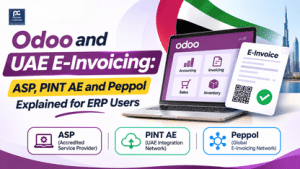
Many UAE companies run Odoo for sales, stock and accounting. However, mandatory e-invoicing changes how a confirmed invoice leaves the system. As a result, finance teams now hear new terms: ASP, PINT AE, Peppol and five corners. This guide explains each one in plain words and shows what an Odoo user must do about it.
What Is the UAE E-Invoicing Mandate and Why Should You Care? →
The Five Terms Every Odoo User Hears
| Term | Plain Meaning | What It Means for Odoo |
|---|---|---|
| ASP | Accredited Service Provider, a company approved by the UAE authorities to connect businesses to the e-invoicing network | Your invoice data goes from Odoo to your ASP, which checks and sends it |
| PINT AE | Peppol International Invoice for the UAE, a structured UBL XML format | Odoo data must be complete enough to build this file |
| Peppol | A secure network that moves e-invoices between providers | Your buyer receives the invoice in their system, not by email |
| Five-corner model | Supplier, supplier ASP, buyer ASP, buyer and tax reporting | Tax data is reported through the ASPs, not uploaded by your team |
| TRN | Tax Registration Number, 15 digits for UAE VAT | A missing or wrong TRN on a contact is a common cause of rejection |
How an Invoice Travels from Odoo to Your Buyer
| Step | What Happens | Who Handles It |
|---|---|---|
| 1 | Invoice confirmed in Odoo | Your team, same as always |
| 2 | Invoice data sent to the ASP | Odoo connector or API link |
| 3 | ASP checks the data against PINT AE rules | ASP, automatic |
| 4 | ASP builds the PINT AE XML file | ASP, automatic |
| 5 | File sent over the Peppol network | ASP, automatic |
| 6 | Invoice delivered to the buyer’s accounting system | Buyer’s ASP and buyer |
| 7 | Status returned: sent, received or rejected | ASP feedback, shown to your team |
This follows the five-corner model (DCTCE) described in Ministry of Finance material. Required invoice data is also reported to the tax authority through the ASPs.
PINT AE Data: What Odoo Must Get Right
⚠️ Important: Your Odoo invoice does not automatically become a PINT AE file. The ASP reads your data and converts it, so the fields below must be complete and correct in Odoo.
| Data Item | Where in Odoo | Common Issue |
|---|---|---|
| Supplier TRN and name | Company settings | Must match the TRN registration name |
| Buyer TRN | Customer contact, tax ID field | Most common missing item for UAE VAT customers |
| Addresses | Company and contact address fields | Must be structured: street, city and country code AE |
| Invoice number and date | Invoice | Number must be unique, and the date in a valid format |
| Invoice type | Set by the ASP or connector | Invoice or credit note (type 381) |
| Line descriptions | Product name | Must be specific, not generic like Services or Goods |
| Unit of measure | Product unit | Must map to a UN/CEFACT code such as EA, KGM, LTR or MTR |
| VAT category | Tax on the invoice line | Must map to PINT AE code S, Z, E or O |
| VAT amount and totals | Calculated by Odoo | Must match rate × taxable amount, with tax and net shown separately |
The Four PINT AE VAT Codes
| Code | Meaning | Typical UAE Example |
|---|---|---|
| S | Standard rated, 5% | Most B2B goods and services |
| Z | Zero rated, 0% | Exports and qualifying international transport |
| E | Exempt | Certain residential property and local passenger transport |
| O | Out of scope | Supplies outside the scope of UAE VAT |
Check the exact treatment of each supply with your tax adviser. The table is a guide, not a ruling.
The Complete Odoo E-Invoicing Setup — 7 Steps
Follow the seven steps below in order. Perfonec, an Odoo Ready Partner with Odoo Middle East, can run any or all of them. As a result, you deal with one partner for Odoo and for the e-invoicing connection.
Step 1 — Check Your Odoo Version and Plan
Why Start With What You Have
Your Odoo version, edition and hosting decide how the connection to an ASP is made. Therefore, list these facts first. Moreover, a short review now avoids buying features you already have.
- Note your version and edition: Online, Odoo.sh, on-premise, Community or Enterprise
- Check whether your version already includes UAE e-invoicing features
- Confirm the UAE localisation, VAT taxes and chart of accounts are set up
- Count monthly B2B invoices, credit notes and active customers
Step 2 — Choose an FTA-Accredited ASP
Why Only an Accredited ASP Will Do
Only an ASP approved by the UAE authorities can send your invoices on the network. Furthermore, choose one that supports Odoo and offers a test environment.
- Check the ASP is on the official list of accredited providers
- Ask about the Odoo connection: API, connector module or OESync
- Ask about sandbox testing, support hours, pricing and status reporting
- Complete ASP onboarding and obtain the API credentials
Step 3 — Fix Your Odoo Master Data
Why Data Comes Before Connection
The ASP can only build a valid file from complete data. As a result, a data audit now saves many rejected invoices later.
- Add the 15-digit TRN to every UAE VAT customer contact
- Use structured addresses with country code AE
- Replace generic product names with specific descriptions
- Set a valid unit of measure mapped to UN/CEFACT codes
- Map every Odoo tax to PINT AE category S, Z, E or O
Step 4 — Connect Odoo to the ASP
Test First, Live Later
Link Odoo to the ASP in test mode first. A test invoice should travel the full route before any live invoice does.
- Enter the ASP endpoint, client ID and secret in the connector settings
- Turn on sandbox or test mode
- Send one test invoice and read the returned status in Odoo
- Keep credentials safe and limit who can see them
Step 5 — Run Pilot Testing
Why the Pilot Phase Is the Safest Time
The Ministry of Finance pilot phase opened on 1 July 2026 with no fines. Therefore, every error found now costs nothing. Also, test each invoice type you actually issue.
- Standard B2B invoice to a UAE VAT customer
- Credit note, which uses PINT AE type code 381
- Advance payment invoice and a zero-rated export invoice
- Free zone customer invoice and a multi-currency invoice with the AED amount
- A rejected invoice: find the reason, fix the data and send again
Step 6 — Train the Team and Watch the Statuses
What Your Accounts Team Must Know
Your team keeps invoicing in Odoo, but they must read the send status. Moreover, they need to know who fixes a rejection and how fast.
- Show how to read sent, received and rejected statuses
- Agree who fixes rejected invoices and within what time
- Cover credit notes and advance payments
- Plan on-call support for the first week of go-live
Step 7 — Go Live and Review Monthly
Keep the Process Healthy
Go live before your mandatory date, then review rejection reasons each month. As a result, the same data mistakes do not return.
- Confirm your go-live date and switch the ASP link to live mode
- Review rejected invoices and fix the data causes
- Keep Odoo invoices as your main records and follow UAE record-keeping rules
- Re-check the connection after any Odoo version upgrade
UAE E-Invoicing Mandatory Dates
| Business Category | ASP Appointment | Mandatory Go-Live |
|---|---|---|
| Revenue AED 50 million or above | 30 October 2026 (extended, now passed) | 1 January 2027 |
| All other VAT-registered businesses | 31 March 2027 | 1 July 2027 |
| Government entities | 31 March 2027 | 1 October 2027 |
| Pilot phase, all businesses | From 1 July 2026 | No penalty |
Three Common Mistakes for Odoo Users
Contacts imported years ago often lack a TRN or hold the address on one line. The ASP will reject these invoices, so audit contacts before the pilot, not after go-live.
Onboarding, API setup and testing take time, and every invoice type needs a test. So start well before your mandatory date.
A connection to an accredited ASP is needed to reach Peppol. Also, check who will maintain that connection after an Odoo upgrade.
Common Questions
Does Odoo support UAE e-invoicing?
Odoo’s standard Accounting app creates and stores your invoices, but in the versions we have checked, sending to the UAE Peppol network needs a connection to an FTA-accredited ASP. Third-party add-ons and integrations such as Perfonec’s OESync provide that connection. However, features differ by version and edition, so confirm what your own Odoo includes.
What is an ASP in UAE e-invoicing?
An ASP, or Accredited Service Provider, is a company approved by the UAE authorities to connect businesses to the e-invoicing network. It checks your invoice data, builds the PINT AE file and sends it over Peppol. Therefore, your Odoo system needs a link to one.
What is PINT AE?
PINT AE stands for Peppol International Invoice for the UAE. It is a structured XML format based on UBL. Also, your Odoo invoice does not become PINT AE by itself, because the ASP or connector converts your data.
What is Peppol?
Peppol is a secure network that moves e-invoices between accredited providers. Your ASP sends the file over Peppol, and your buyer’s ASP delivers it to their system. As a result, the invoice does not travel by email.
When must Odoo users go live?
Businesses with revenue of AED 50 million or above must go live on 1 January 2027. Other VAT-registered businesses must go live on 1 July 2027, and government entities on 1 October 2027. Therefore, confirm your category with the FTA and test during the pilot phase.
What data should I fix in Odoo first?
Start with the buyer TRN on every UAE VAT customer, structured addresses with country code AE, specific product descriptions, valid units of measure and correct VAT categories. However, your ASP can tell you exactly which fields it checks.
Get a Free Odoo E-Invoicing Readiness Check
Perfonec is an Odoo Ready Partner with Odoo Middle East and the developer of OESync. We audit your Odoo data, help with ASP onboarding, run pilot tests and support your go-live. Free readiness check — no cost, no commitment.
Also authorised for QuickBooks (Authorised Dealer and Pro Advisor), TallyPrime (Authorised Silver Partner), Zoho and Sage 50.
📞 +971 4 386 6199 | 📧 sales@perfonec.com | 💬 WhatsApp Us
About the author
Akanksha Surana
Akanksha Surana is the CEO and Owner of Perfonec Computers, Dubai — Odoo Ready Partner with Odoo Middle East (Cert n°0000699697), developer of QBESync and OESync, QuickBooks Authorised Dealer and Certified Pro Advisor, and Authorised Silver Partner for TallyPrime. Read Akanksha’s full profile →
Published by Perfonec Computers — Odoo Ready Partner with Odoo Middle East, developer of QBESync and OESync, QuickBooks Authorised Dealer and Pro Advisor, and Authorised Silver Partner for TallyPrime. CEO: Akanksha Surana. Manama Street, Dubai, UAE. Based on UAE Ministry of Finance e-invoicing material, Ministerial Decisions No. 243 and 244 of 2025 and Cabinet Decision No. 106 of 2025, as understood in November 2026. Dates, penalties and Odoo features can change. Odoo is a trademark of Odoo S.A. For general guidance only — not legal or tax advice.